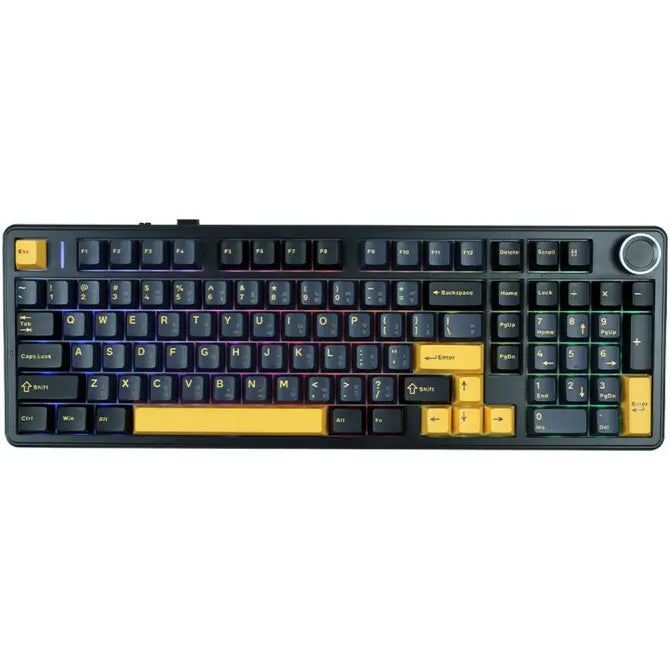
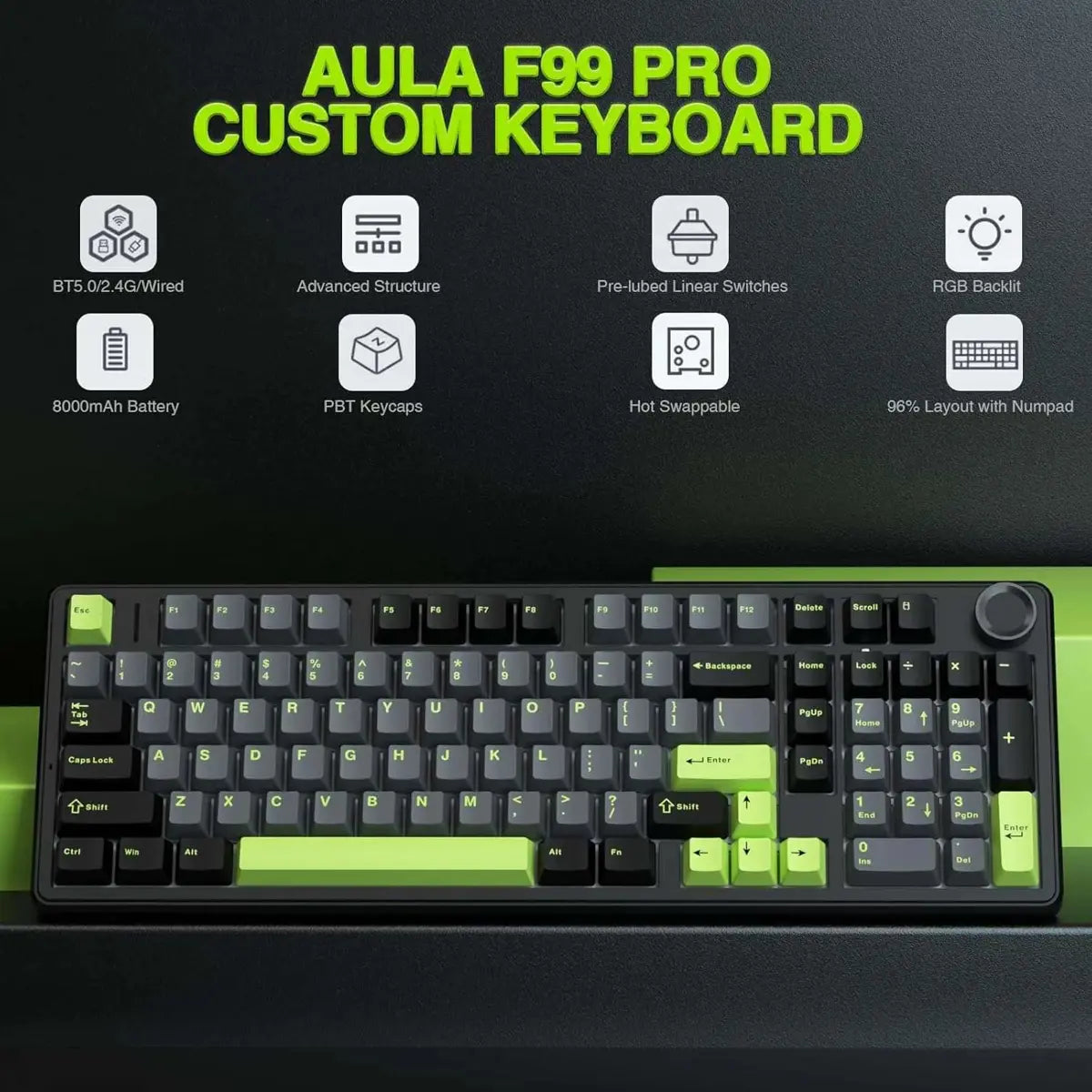
Building on the foundation of the AULA F99, the F99 PRO features a 96% layout with the addition of a rotary knob and one extra key. This layout retains most of the keys found in a traditional 108-key keyboard but with a more compact size, saving valuable desk space and providing more customization possibilities.
- Tri-Mode Connectivity
- 100 Keys Layout with Knob
- Nimbus Linear Switches V3
- 5-Layer Sound-Dampening
Aula F99 PRO Wireless Gaming Hot Swappable Creamy Keyboard - Thunder Black Price in Pakistan
Ultra-Low Latency
Upgraded premium chip to help you be one step ahead in Gaming & Office.
40h with RGB on
Big Battery Capacity
One full charge that lasts 400 hours with RGB off. (Please only charge with the original cable.)
Dual-Function Knob
Volume/Brightness
Adjust volume or RGB Brightness with the Metal Knob. (Pressing knob for 5s to change knob function)
Slot Per-Key
Dual Flex-cut
Enjoy ultra soft and flexible type feel, with flex-cut PCB and flex-cut PC Plate.
1min of No Action
Sleep Mode
Power-saving mode to improve keyboard endurance and battery life.
Remap/Macro/Backlit
Personalize the function and lights of the keys with the powerful software. (No Mac Software)
Soft Type Feel
Gasket-Mount
Cushioned with 5 layers of sound-dampening materials for creamy and satisfying type sound.
CapsLock/NumLock
Keys as Indicator Lights
Mode Indicator Lights: ~/1/2/3=2.4Ghz/Bluetooth1/2/3.
MX Cherry Keycap
Cherry Profile (Height Profile)
Made of durable PBT plastic, and finished in dye-sub prints with endurance.
Lubed and Tuned
Plate-Mount Stabilizer
Smooth and stable types with the well-lubed and tuned stabilizers.
Factory-Lubed Linear Switch
Smooth & Creamy & Thocky
Enjoy the satisfying typing sound with F99 PRO's lubed linear switches. We recommend switches with light force and short travel for gamers and speed seekers; while switches with heavier force and longer travel are better for office and typing accuracy.
LEOBOG Nimbus Switch: 5-pin Linear. Force: 34/45±3gf. Travel: 1.3/3.7±0.3mm.
Bluetooth 3.0/5.0 & 2.4Ghz & USB Cable
Convenient Connectivity Hub
Whether you prefer the simplicity of a plug-in cable, the versatile Bluetooth mode, or the reliable 2.4 GHz wireless, the F99 PRO has you covered.
Use BT 3.0 if you want stability and have multiple wireless devices.
When pairing F99 PRO to your computer, make sure to hold FN+~/1/2/3 until light's flash quicken from slow to rapid, before plug the receiver or start Bluetooth setting.
RGB or Singular Colors
16.8M Dynamic RGB Backlit
Illuminate your gaming setup with customizable RGB backlight. Choose from a range of 16.8 million colors and dozens of still, dynamic, and rhythm light effects.
FN+\|= Change Light Effect (on/off/different effects)
FN+Tab= Change Light Colors
FN+↑↓←→: Adjust Brightness/Speed
Power Status Indicator
Battery Percentage
Clear and simple-to-understand indicator lights to tell the status of the battery and modes. Pressing FN+B and check the light bar's color, or pressing FN and check which keys light up in white.
FN+B (hold): Green Bar=100%. Yellow Bar=50%. Red Bar=30%
FN (hold): ~/1/2/3/4=Wireless/BT1/BT2/BT3/Cable. Q/W/E/R=Android/Windows/Mac/iOS.
F1-F12 & FN+F1-F12
Multimedia Keys & Hotkeys
(FN+Q/W/E/R=Android/Windows/Mac/iOS). Use F1-F12 as multimedia keys in Android modes or as F1-F12 in WIN modes. More information on multimedia keys can be found on pages 6-8 of the product manual.
FN+ESC= Holding for 3 seconds to reset the keyboard
FN+WIN= Lock/Unlock WIN key
FN+DEL/Scroll/Calculator/HOME=INS/Prtsc/Pause/END